安装Hexo
需要 npm
1 | $ npm install hexo-cli -g --registry=https://registry.npm.taobao.org |
1 | $ npm install hexo --registry=https://registry.npm.taobao.org |
1 | $ hexo init <folder> |
提交至gitlab
需要 git
1 | $ git init |
创建gitlab runner
进入 Setting > CI/CD Pipelines
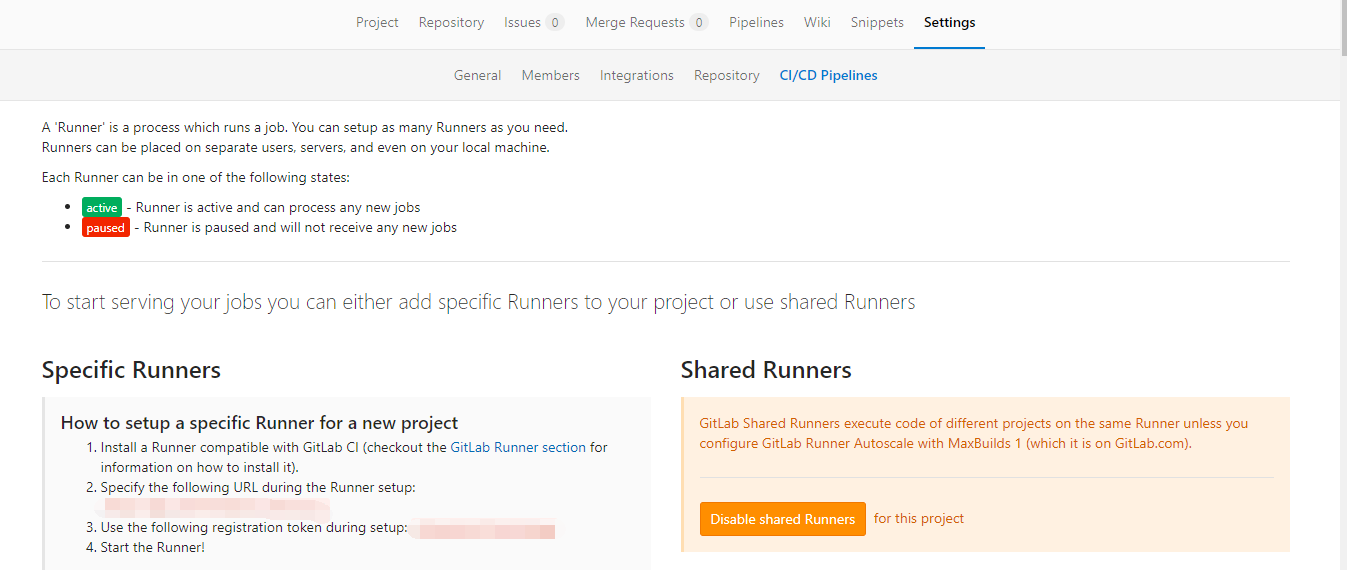
- 根据
How to setup a specific Runner for a new project进行配置 gitlab-runner以 centos7 环境为例
script 1
2
3
4curl -LJO https://gitlab-runner-downloads.s3.amazonaws.com/latest/rpm/gitlab-runner_amd64.rpm
rpm -i gitlab-runner_amd64.rpm
自启动
systemctl start gitlab-runner- 注册gitlab-runner
script 1
2
3
4
5
6
7
8
9
10
11
12
13
14
15
16
17
18
19gitlab-runner register
提示输入gitlab-ci地址, 将页面上的 http://xxx/ci 输入
Please enter the gitlab-ci coordinator URL (e.g. https://gitlab.com )
https://gitlab.com
提示输入token, 将页面上的 token 输入
Please enter the gitlab-ci token for this runner
xxx
提示输入runner的描述
Please enter the gitlab-ci description for this runner
[hostname] my-runner
提示输入触发runner的tag
Please enter the gitlab-ci tags for this runner (comma separated):
my-tag,another-tag
提示输入runner执行的应用, 使用 docker 需要确认docker是否已经启动
Please enter the executor: ssh, docker+machine, docker-ssh+machine, kubernetes, docker, parallels, virtualbox, docker-ssh, shell:
docker
提示输入默认镜像
Please enter the Docker image (eg. ruby:2.6):
node:latest若需要修改 gitlab-runner 注册信息, 只需进入 /etc/gitlab-runner/config.toml 进行编辑修改
- 注册gitlab-runner
页面出现可执行的runner即可, 在页面上也可对runner配置进行修改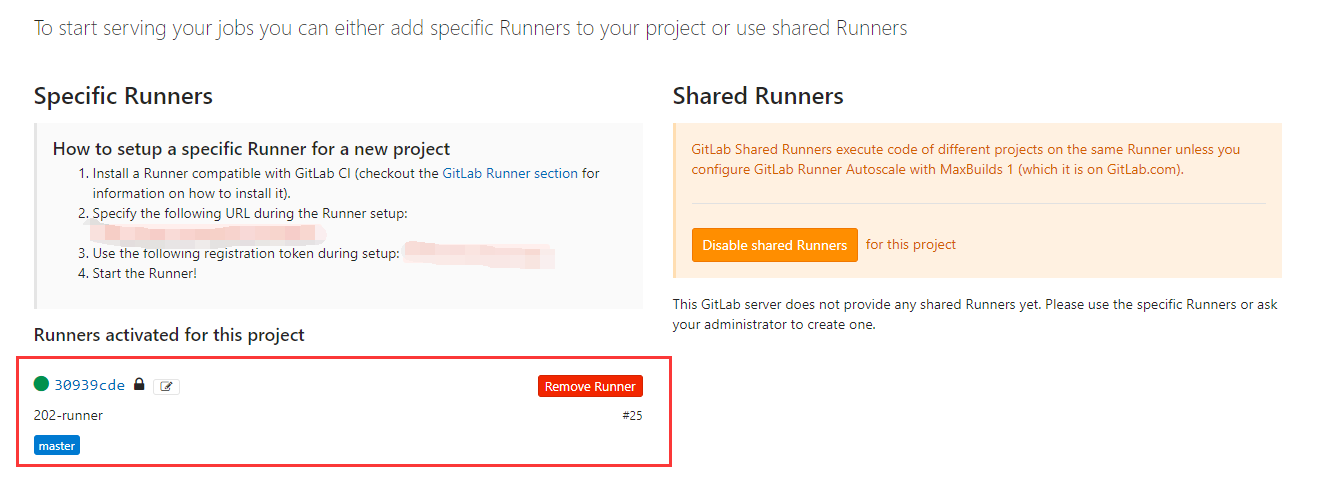
配置完成后, 只需在 Project > CI configuration 进行配置即可触发 CI
.gitlab-ci.yml
1 | image: node:8.11.2 |
若需要进行部署, 则在 .gitlab-ci.yml 中增加部署脚本内容即可
多任务模板:
1 | stages: |
配置Hexo部署
部署至 git
npm install hexo-deployer-git --save- 在
_config.yml增加配置内容1
2
3
4
5deploy:
type: git
repo: https://github.com/<username>/<project>
# example, https://github.com/hexojs/hexojs.github.io
branch: gh-pages
部署至 sftp
查看CI/CD 执行, 也可点击
Run Pipeline进行手动触发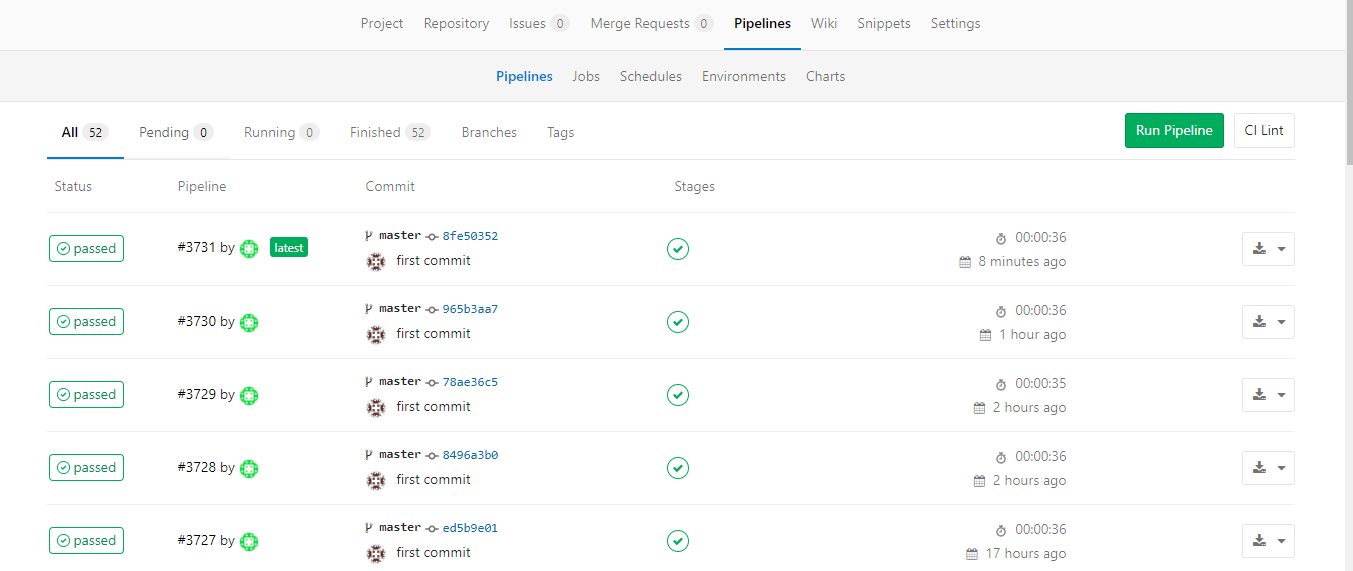
schedules 可进行定时执行
environment 可设置环境变量